Grow your revenue by

Automating your work.

Designed for non-technical teams.
Fast, easy, and secure.

No Credit Card Privacy Focused Free Forever

No learning curve required.

WorkBeaver is built for real people. If you can describe the work, you can automate it.

  • Enterprise-grade security
  • Local AI Support for Privacy
  • Launch your first automation in minutes

WorkBeaver at a glance

Small tasks pile up. Important work gets missed.

Why it helps

Every little task takes you away from customers and work that matters. Tell WorkBeaver what needs doing. It gets the work done and shows you what happened.

Add to Chrome · It’s free Stay on top of what matters

If you can explain the job, WorkBeaver can get to work.

Move files, fill forms, update reports, check websites · and much more.

How it works

Ask. Check. Done.

01

Tell it what to do

Use the same words you’d use with a teammate.
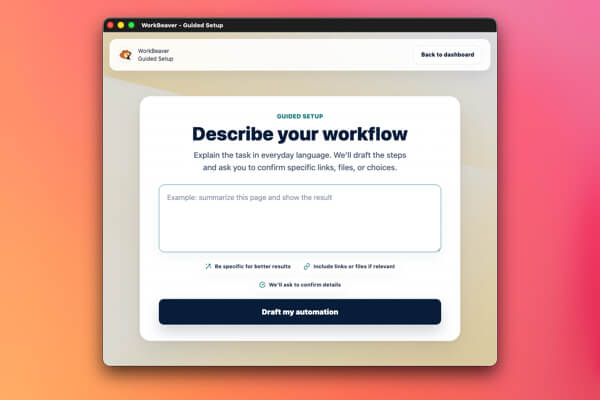
WorkBeaver task setup screen
Say what you need
02

Check the steps

Make sure everything looks right before it starts.

WorkBeaver automation steps review screen
Check it before it starts
03

Let it get to work

Run it now or later. You can see what it did.

WorkBeaver completed task results screen
See what got done

Simple plans. Clear next step.

Start free. Pay once or choose monthly.

Start with 500 cloud credits. Make a one-time purchase for lifetime access to WorkBeaver 2026, or choose a monthly plan with credits that refill.

Free starter

Start free

Try your first automation with 500 free credits.

0 forever

500 starter cloud credits. No credit card required.

Get started

What you get

  • Browser extension access
  • 500 starter cloud credits
  • Chrome local AI where available
Best long-term value

One-time purchase

Lifetime access

One payment gets you WorkBeaver 2026 and 100,000 credits · no subscription.

349.99

Current limited-time price. Regular price: $700.

Get started

What you get

  • Lifetime access to WorkBeaver 2026
  • 100,000 credits that stay until spent
  • 1 year of product updates

Best monthly start

Monthly Essentials

10,000 monthly credits for everyday automation.

21.95 / month

Current launch price. Regular price: $45/month.

Get started

What you get

  • 10,000 cloud credits each month
  • Chrome local AI where available
  • Priority product support
  • Lifetime product updates

Highest monthly capacity

Monthly Professional

50,000 monthly credits for high-volume automation.

99 / month

Current launch price. Regular price: $225/month.

Get started

What you get

  • 50,000 cloud credits each month
  • Highest included monthly capacity
  • Extra support and onboarding guidance
  • Lifetime product updates
  • 500 starter cloud credits
  • No credit card to start
  • Chrome local AI where available

Plans at a glance

Compare every plan.

Compare price, cloud credits, access, ownership, and support using the same terms as the WorkBeaver app.

Free starter

Try WorkBeaver

Price & credits

Current price
Free
Regular price
Not applicable
Included cloud credits
500
Credit timing
Starter grant

Access & AI

Browser extension
Included
Billing model
Free starter tier
Chrome local AI
Where available
Cloud & fallback AI
Uses cloud credits
Account management
Included

Ownership & updates

WorkBeaver 2026 ownership
Not included
Credit behavior
Starter credits
New-feature path
Product updates
Billing management
No paid plan

Service & fit

Service level
Support available
Best for
Trying a first workflow
Cloud-credit capacity
500 starter credits
Billing commitment
No paid billing

Lifetime Access

Best long-term value

Price & credits

Current price
$349.99 one-time
Regular price
$700 one-time
Included cloud credits
100,000
Credit timing
Stay until spent

Access & AI

Browser extension
Included
Billing model
Buy 2026 once
Chrome local AI
Where available
Cloud & fallback AI
Uses cloud credits
Account management
Included

Ownership & updates

WorkBeaver 2026 ownership
Keep 2026 for life
Credit behavior
Stay until spent
New-feature path
1 year of product updates
Billing management
No recurring billing

Service & fit

Service level
1 year of bug fixes & improvements
Best for
Long-term ownership
Cloud-credit capacity
100,000 until spent
Billing commitment
One-time 2026 purchase

Best monthly start

Monthly Essentials

Price & credits

Current price
$21.95/month
Regular price
$45/month
Included cloud credits
10,000
Credit timing
Refill monthly

Access & AI

Browser extension
Included
Billing model
Monthly subscription
Chrome local AI
Where available
Cloud & fallback AI
Uses cloud credits
Account management
Included

Ownership & updates

WorkBeaver 2026 ownership
Not included
Credit behavior
Refill monthly
New-feature path
Lifetime product updates
Billing management
Change or cancel in Paddle

Service & fit

Service level
Priority product support
Best for
Regular solo or team use
Cloud-credit capacity
10,000 per month
Billing commitment
Monthly subscription

Highest monthly capacity

Monthly Professional

Price & credits

Current price
$99/month
Regular price
$225/month
Included cloud credits
50,000
Credit timing
Refill monthly

Access & AI

Browser extension
Included
Billing model
Monthly subscription
Chrome local AI
Where available
Cloud & fallback AI
Uses cloud credits
Account management
Included

Ownership & updates

WorkBeaver 2026 ownership
Not included
Credit behavior
Refill monthly
New-feature path
Lifetime product updates
Billing management
Change or cancel in Paddle

Service & fit

Service level
Extra support & onboarding
Best for
Heavy cloud AI use
Cloud-credit capacity
50,000 per month
Billing commitment
Monthly subscription

Start before you decide

Try WorkBeaver before choosing a paid plan.

Install WorkBeaver and start with 500 starter cloud credits. No credit card.

Guided Setup

Describe your task. Approve the plan.

No code. No giant builder first. Just plain English and a few yes/no checks.

  • 1. Type the task
  • 2. Review steps
  • 3. Save it

WorkBeaver turns your request into clear steps before anything runs.
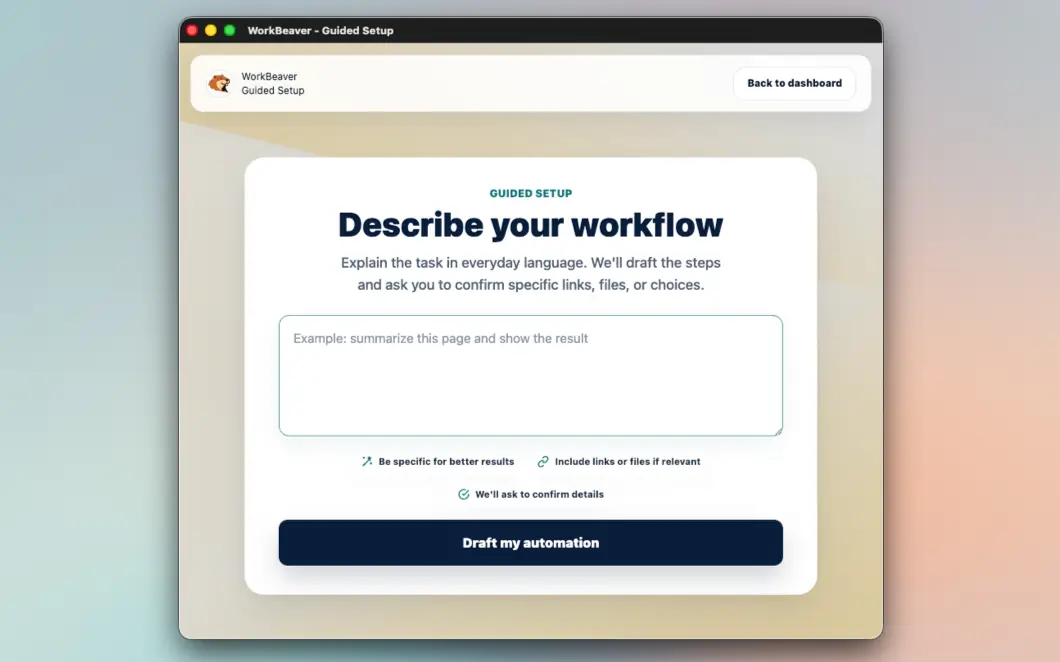
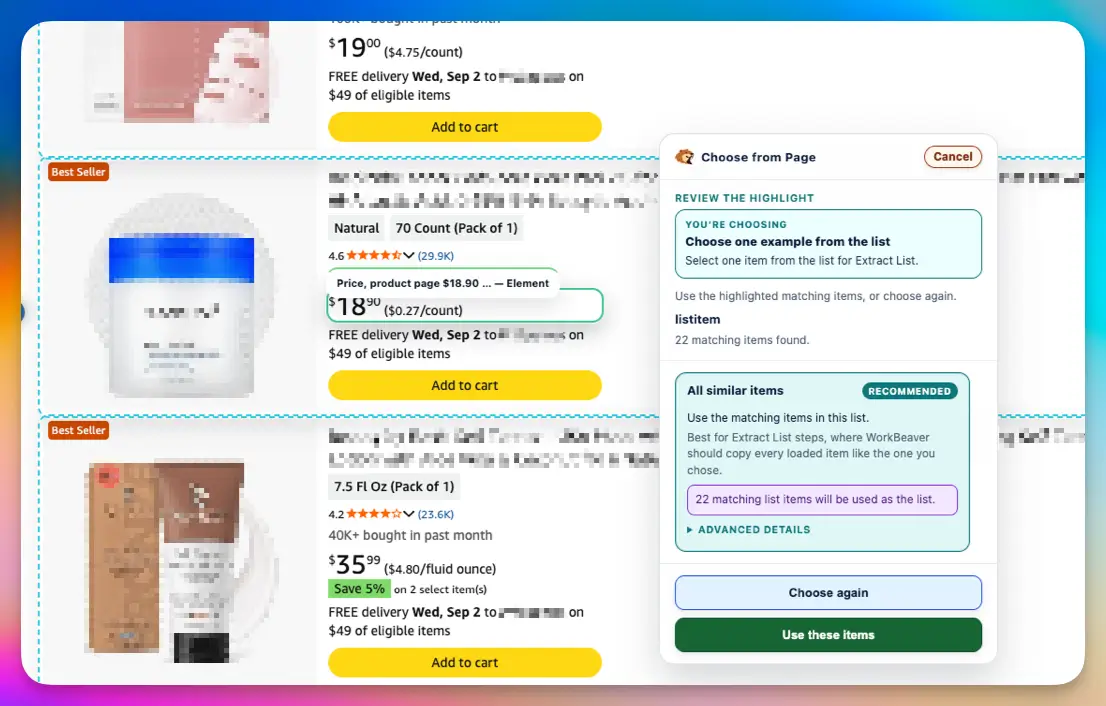
Page Picker

Point at the thing once.

Show WorkBeaver which button, field, list, row, or page area matters. It remembers.

  • Pick buttons
  • Pick fields
  • Pick rows
  • Pick lists

Hover outlines make the target obvious before you save the step.
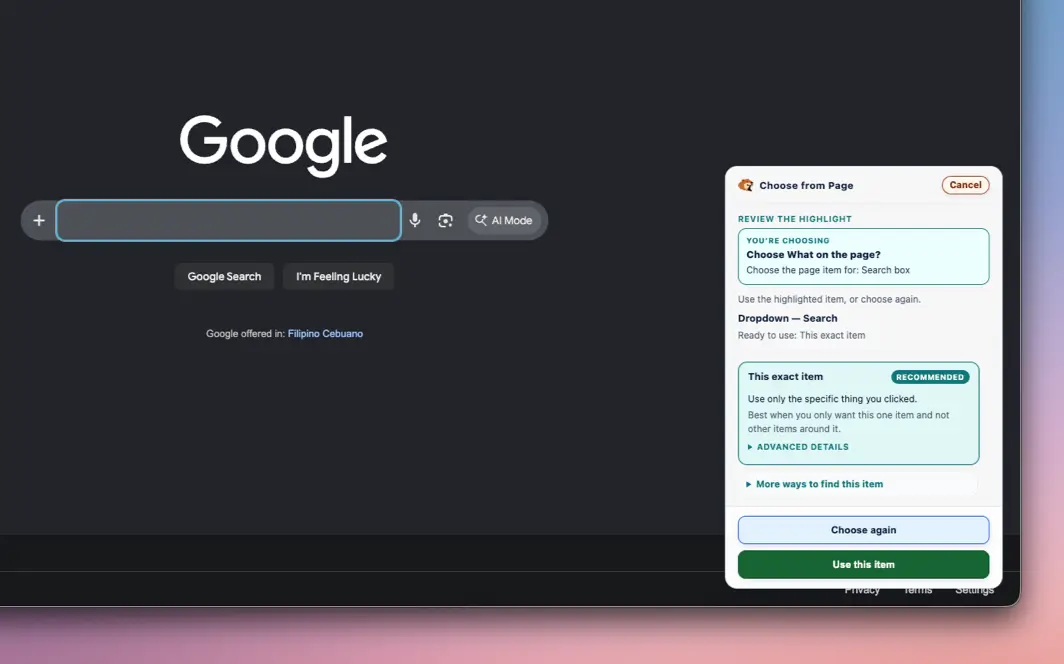
Browser Automation

It does the clicking part.

Forms, dashboards, uploads, downloads, tabs, menus · the stuff that eats your afternoon.

  • Clicks buttons
  • Types text
  • Downloads files
  • Uses tabs

Every run stays visible and cancellable while the browser work is happening.
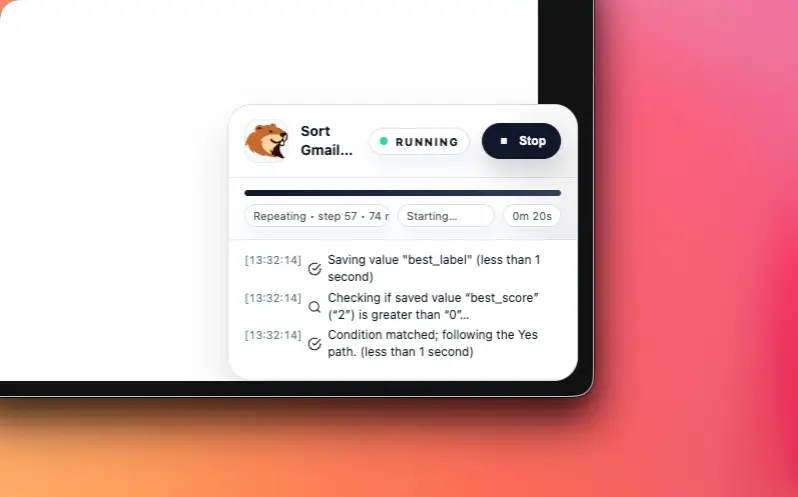
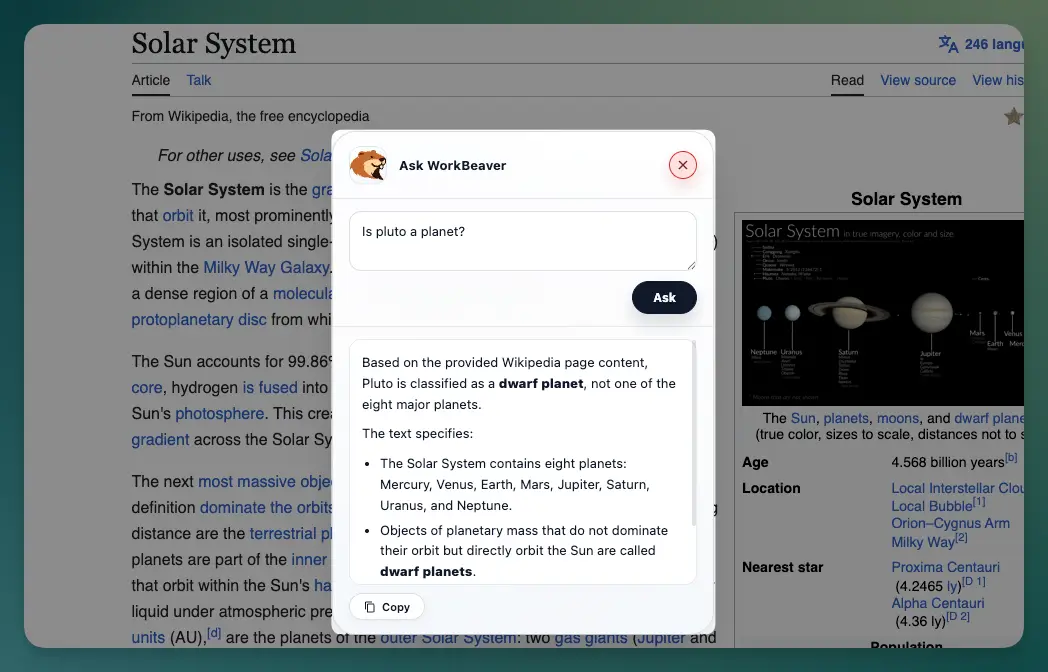
Ask WorkBeaver

Ask a page like it's a person.

Right-click any page. Ask what matters, compare details, or turn dense text into a simple answer.

  • Summaries
  • Explanations
  • Comparisons
  • Details

Answers can use the current page, selected text, or a specific area you point to.
Web Extraction

Turn messy pages into clean rows.

Grab names, links, prices, messages, tables, or repeated cards. Put them somewhere useful.

  • Lists
  • Rows
  • Links
  • Tables

Useful data leaves the page as a clean table, CSV, or spreadsheet update.

Spreadsheets

Sheets update themselves.

Add rows. Fix values. Replace tables. Keep reports moving without copy-paste gymnastics.

  • Google Sheets
  • Excel 365
  • No-code row edits
  • Optional AI

The boring part of keeping a sheet current becomes a saved automation.

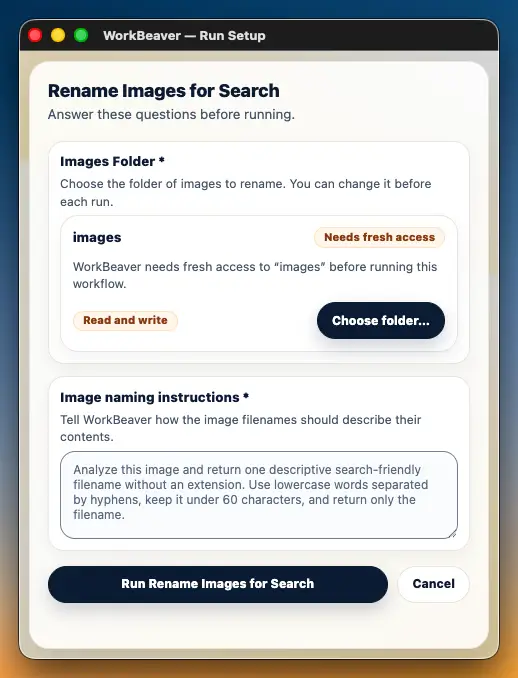
Local Files

Your files. Your permission.

Approve a folder, then let WorkBeaver read, write, rename, or summarize files inside it.

  • Folder approval
  • Read/write
  • Rename
  • Analyze images

File access starts with a visible folder choice and stays scoped there.
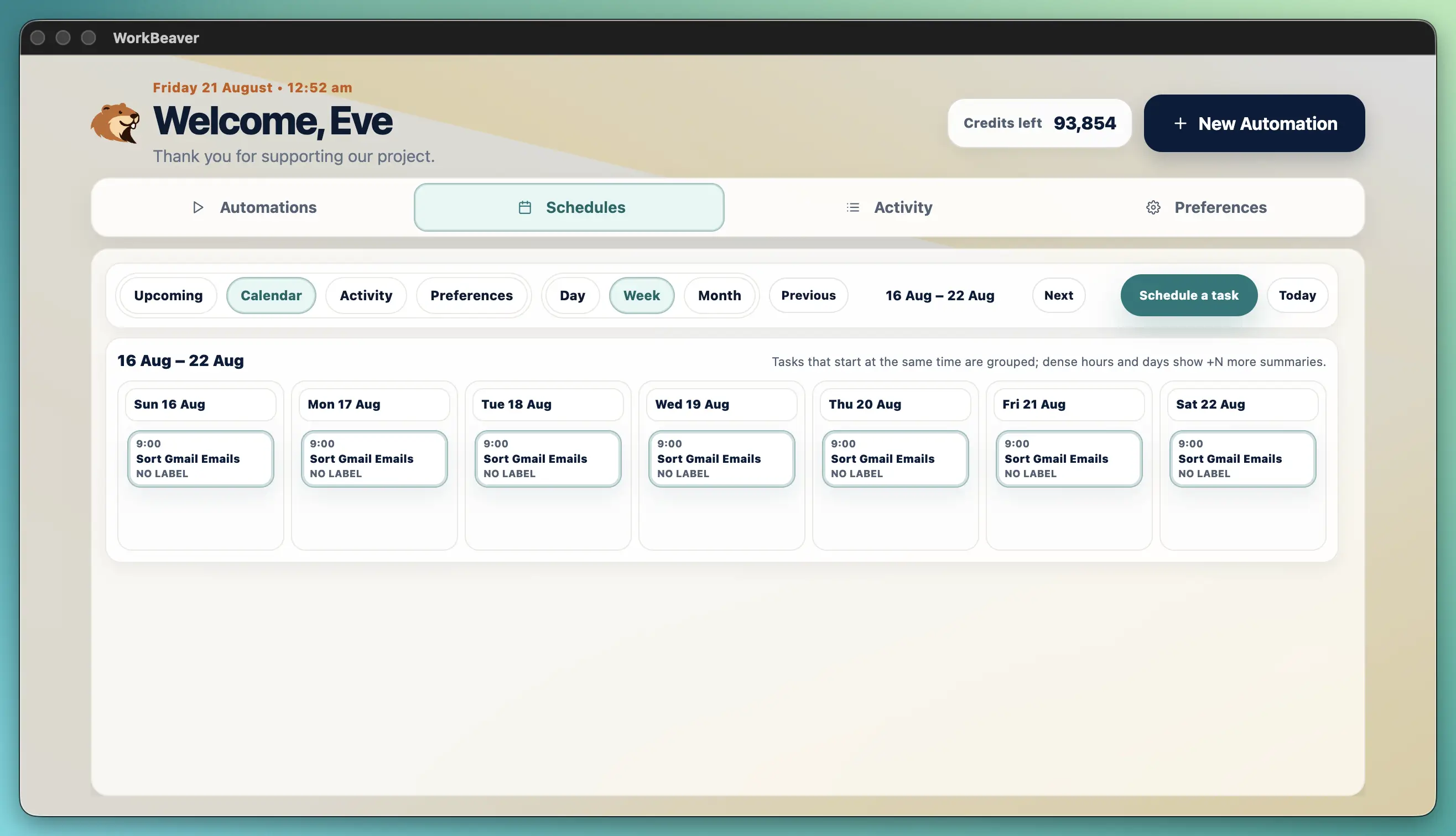
Scheduling

Schedule work to run later.

Daily, weekly, one-time, or every few hours. It runs locally while Chrome is open.

  • Daily
  • Weekly
  • Intervals
  • Worker lanes

Saved workers make recurring browser work feel more like a calendar event.

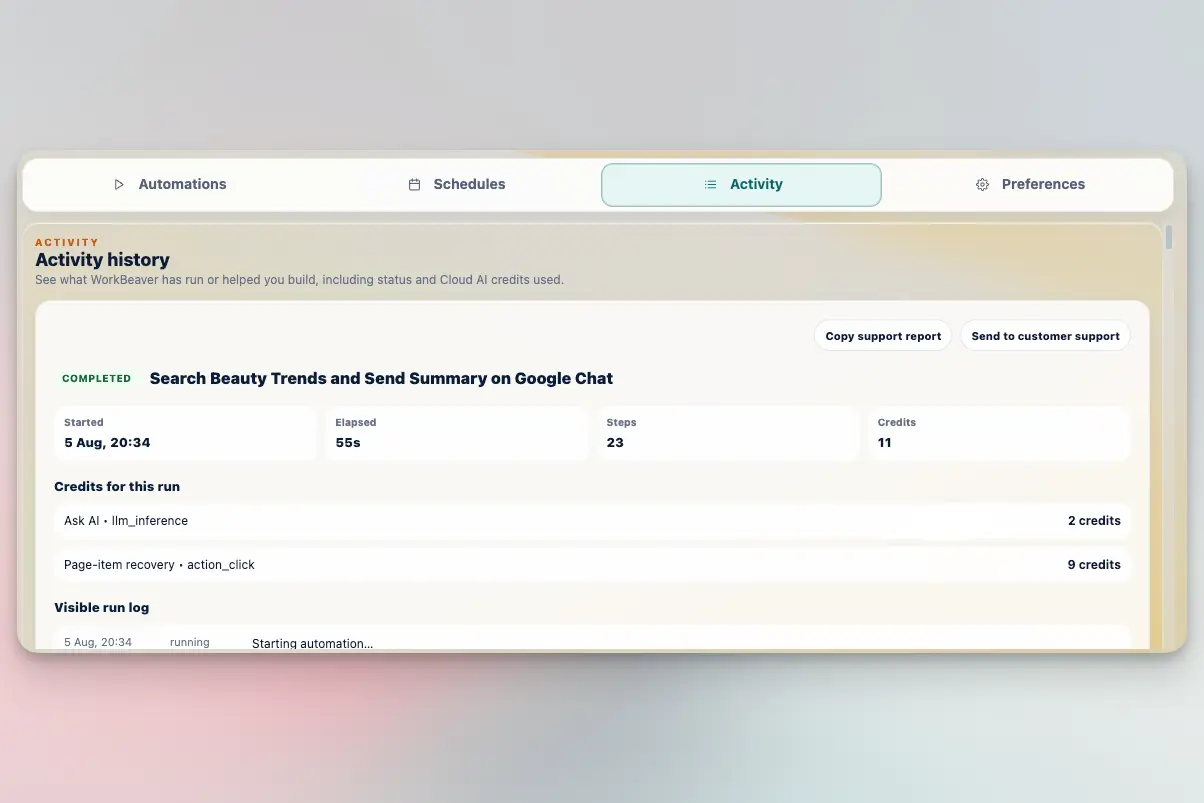
Results + Review

No more "what happened?"

WorkBeaver shows a clean result page. Copy it, review it, or answer a question before it continues.

  • Durable results
  • Copy cards
  • Ask User
  • Activity

Useful outcomes stay easy to inspect instead of disappearing after a run.
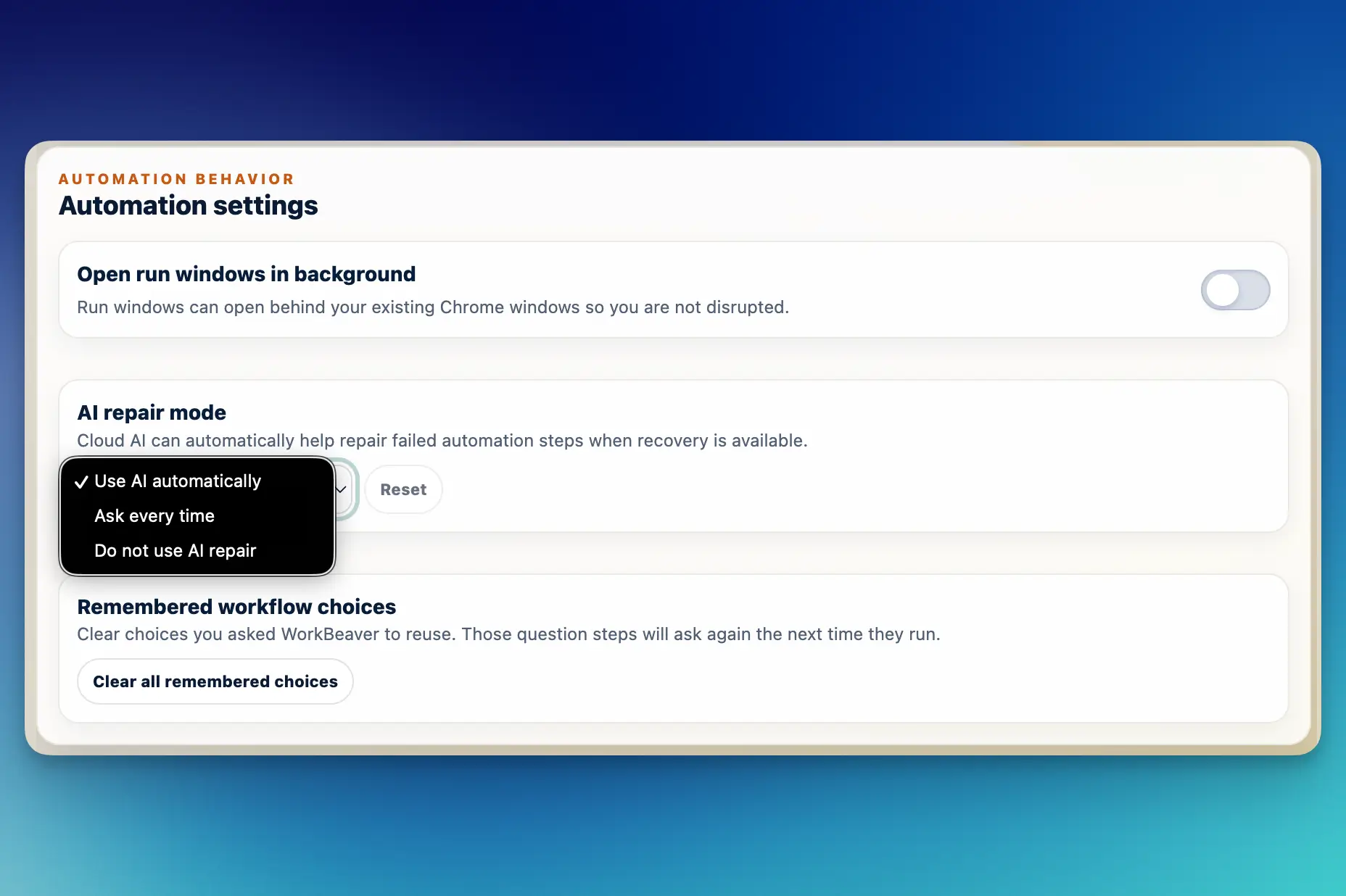
Recovery

Websites move. It adapts.

When a button or frame changes, WorkBeaver can retry, repair, ask you, or stop safely.

  • Retries
  • Safe repair
  • Proof checks
  • Stop control

The goal is steady automation that fails clearly when a human should decide.
Privacy + Control

It only does what you allow.

Saved automations, schedules, preferences, memory, and activity live in your browser. File access is approved by you.

  • Local-first
  • Explicit clipboard steps
  • Approved folders
  • Optional AI

WorkBeaver is designed around visible permissions and reviewable activity.
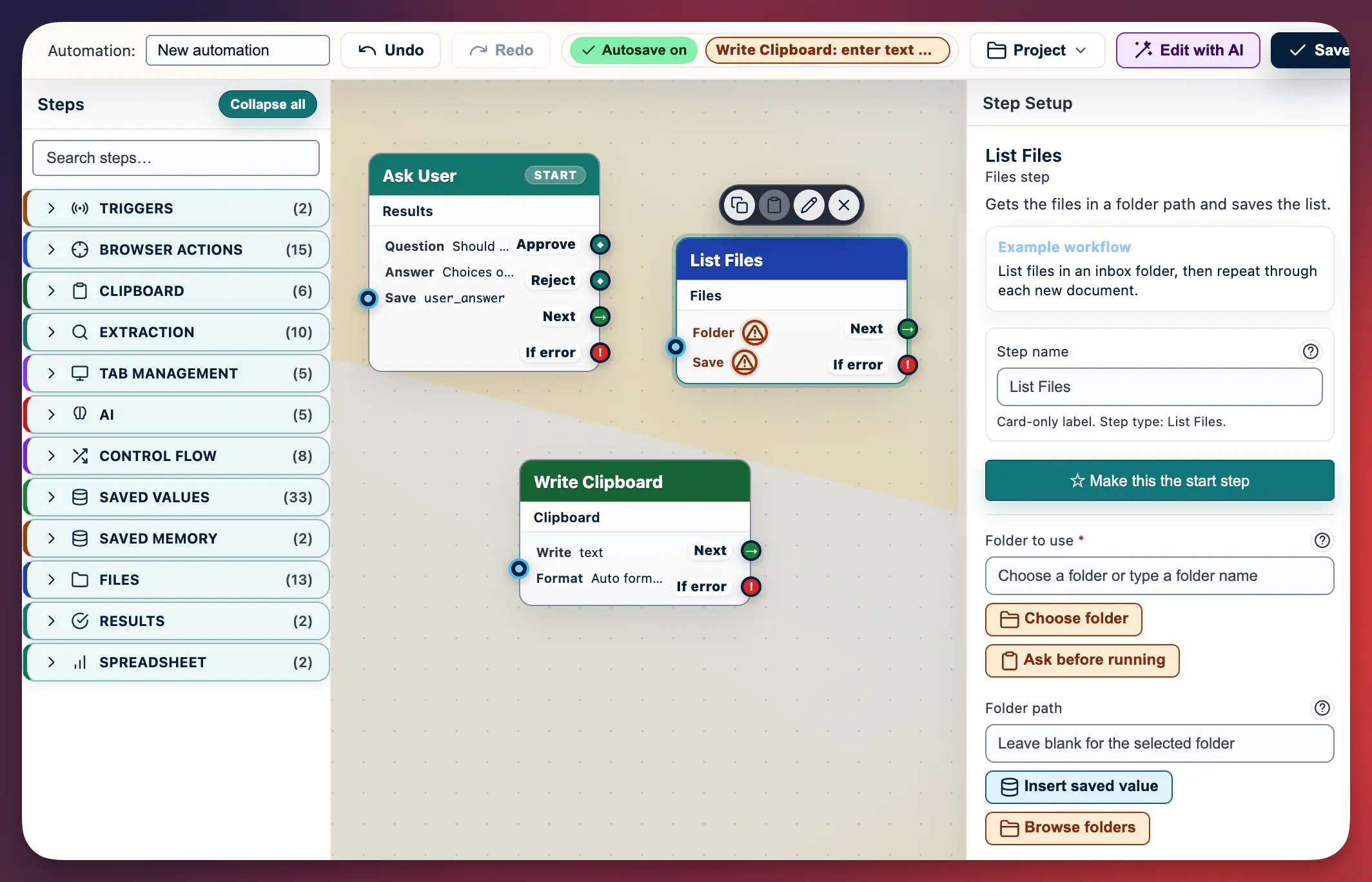
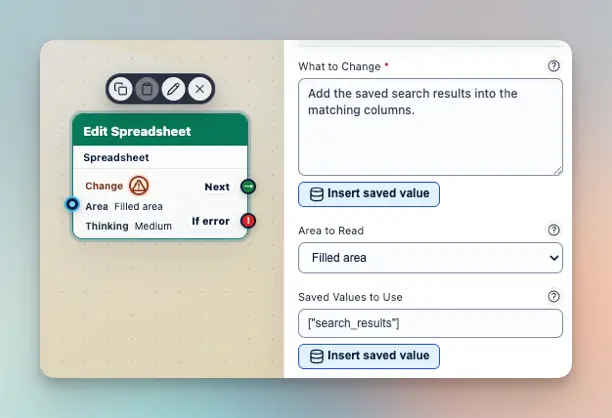
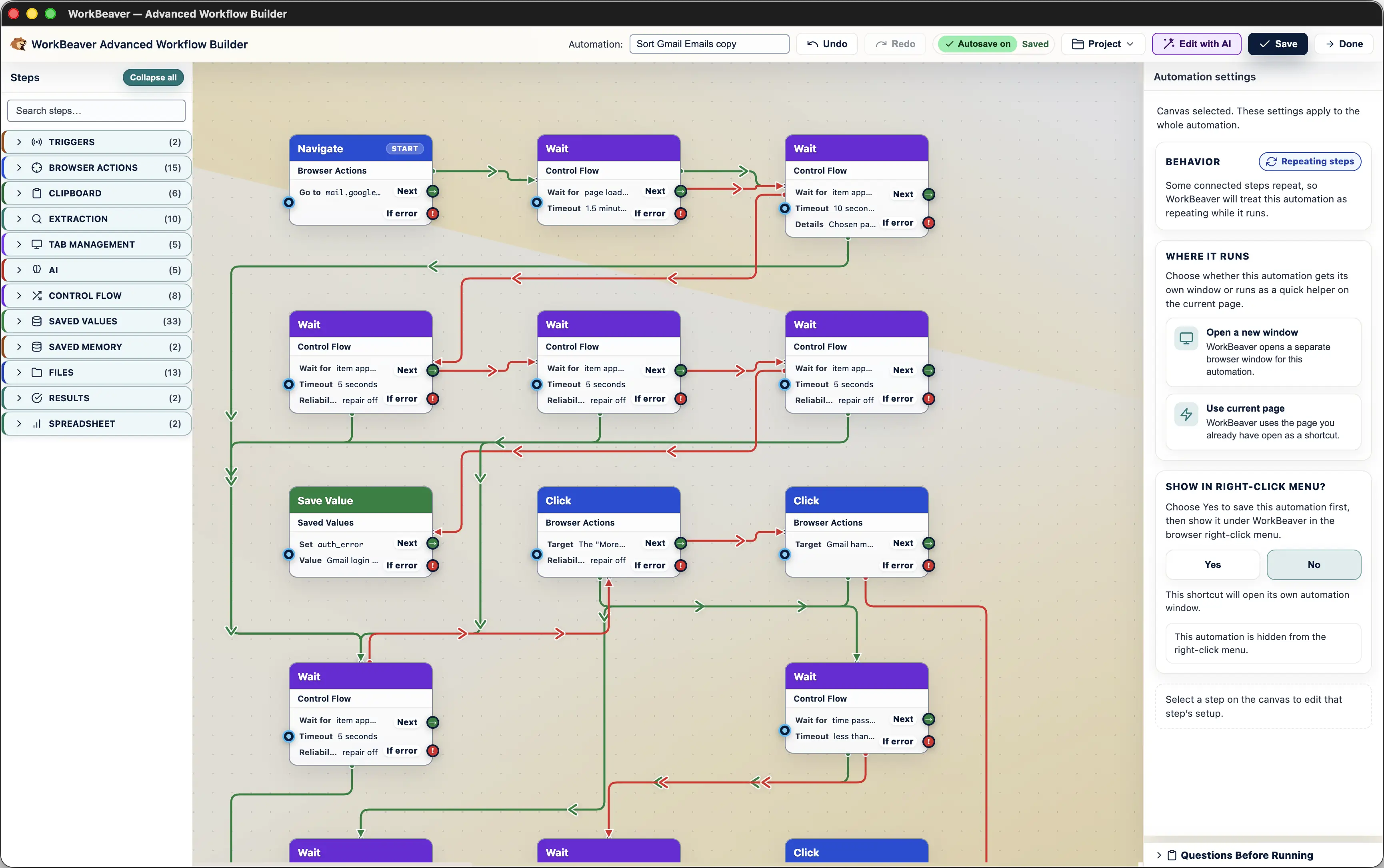
Advanced Builder

Power mode, when you need it.

Drag blocks together for bigger workflows. Use AI suggestions, then accept only what you want.

  • Visual canvas
  • Blocks
  • Branches
  • AI suggestions

Start simple, then open the builder when a workflow deserves more structure.
The whole pitch

A digital intern for the boring browser work.

You tell it the task. It does the steps. You stay in control.

  • Free forever
  • No credit card
  • Review before it runs
Scroll for 500 Free Cloud Credits